AI-powered delivery date estimates to boost conversion

Give shoppers peace of mind and protect and grow your bottom line

Personalized tracking experiences to build brand loyalty

Returns and exchanges management to mitigate fraud and reward best customers

Proactive communication to drive customer lifetime value

Delivery claim management to tackle fraud and build trust




Gifts, Deadlines, and the Three Silent Days Before a Package Ships

For holiday and deadline orders, the stretch between checkout and the first carrier scan does the most damage, and a few timed pre-shipment notifications protect both the gift and the relationship.
Key takeaways
- The days between checkout and the first carrier scan are when holiday gift buyers worry most, and default platform emails say nothing during them.
- Five pre-ship messages close the gap: a dated confirmation, a fulfillment delay alert, "ready to ship" at label creation, the shipping confirmation at first scan, and carrier pickup delay notices.
- Manual catch-all emails at peak create tickets, while per-order triggers from your fulfillment and carrier data keep a small team out of the queue.
- UK gifting retailer Fortnum & Mason cut WISMO queries 50% with Narvar Track and Notify.
It is December 14. A shopper orders a personalized photo book for her mother, with a delivery date two days before Christmas. The order confirmation arrives within a minute. Then nothing for three days.
Inside the operation, the book is being printed, bound, packed, and labeled. On the shopper's phone, nothing has changed since checkout. By the third morning she has clicked the tracking link twice, found a label with no scans, and opened a chat to ask whether the gift will make it.
That chat is the cheap outcome. The expensive one is the shopper who never asks, watches the gift land on December 27, and spends her January budget somewhere else.
A holiday order comes with a date the shopper can't move
Most orders carry an expectation. A holiday order carries a deadline, and the shopper measures your brand against it. In Delivering the 2026 Holiday Shopping Season from Narvar and eTail Insights, 68% of US shoppers rate on-time delivery "very important," and 66% of retailers rank it as a top-three peak challenge.
Gifts are the sharpest case because two people are involved. The buyer carries the worry while the recipient gets the box, so every day without an update lands on the person who paid.
For a Growth-stage retailer, the commercial math is direct. A late gift costs you a refund or a reship in December and a repeat customer in the new year. Our research found that 44% of shoppers say order and delivery notifications would make them buy from a retailer again.
The longest silence happens before the first carrier scan
Carrier tracking starts when a carrier scans the package. Everything before that scan is invisible to the shopper unless you tell them about it: picking, packing, production for made-to-order items, label creation, and the wait for pickup.
A personalized-gifts retailer we work with calls this stretch a three-day black box, and it is where holiday anxiety peaks. The shopper has paid, the clock is running, and the most recent message they have is a receipt.
The standard platform message set misses this window. Shopify and most commerce platforms send an order confirmation, then shipped and delivered. Shoppers in that gap check the tracking page, see "label created" with no movement, and conclude something is wrong. In Narvar's work with retailers, we plan around a shopper who expects to hear from you about every two days. Three days of silence breaks that expectation before the box ever leaves the building.
Get the complete shopper data.
See how 1,348 US shoppers plan to buy, and what they expect after checkout,
Five timed messages that cover the pre-ship window
The goal is one message at each point where the shopper's question changes. Here is the sequence we recommend for holiday and deadline orders, built on the pre-shipment events in Narvar Notify.
1. At checkout, confirm the date and say what happens next.
The order confirmation is the only message most shoppers are guaranteed to read. Use it to restate the delivery date and describe the steps ahead. For made-to-order gifts, name the production step and how long it takes, so day two without a shipping email reads as normal.
2. When fulfillment slips, say so before the shopper notices.
A fulfillment delay or backorder message fires when your order data shows an item running behind. Send it the moment the slip happens, and tell the shopper whether the holiday date still holds. A shopper who hears about a one-day slip on day two stays calm. A shopper who discovers it on day five opens a ticket.
3. At label creation, call it "ready to ship."
A label means the package is packed and waiting for the carrier. Telling the shopper it has shipped sends them to a tracking page with no scans. A "ready to ship" message gives them progress without the false alarm.
4. At the first carrier scan, send the shipping confirmation.
Holding the shipping email until the carrier scans the box is our top recommendation for cutting WISMO ("where is my order") contacts. The tracking link works the first time the shopper clicks it, and the next message they get comes from a package that is moving.
5. If the carrier hasn't picked up, send a pickup delay notice, then a second one.
A missed pickup leaves the package sitting with a label and no scan. Notify supports a carrier pickup delay sequence, with a first notice on day two and a follow-up on day five if the package still hasn't moved. Each one tells the shopper you are watching the order, which is the reassurance they wanted from a support chat.
A small team can't send these by hand in December
Every one of those messages depends on timing. The fulfillment delay has to go out when the slip happens, and the shipping confirmation when the scan arrives. A small ecommerce team trying to cover this manually ends up exporting a list of aging orders each morning and emailing everyone on it.
That approach backfires at holiday volume. Broad catch-all emails reach shoppers whose orders are fine, raise questions they weren't asking, and push ticket counts up during the weeks you can least absorb them. The personalized-gifts retailer above described exactly this: blanket inquiry emails at Christmas that created noise and spiked support volume.
Narvar Notify triggers each message per order, from your own fulfillment status updates and carrier scan data, in your brand's design across every carrier you ship with. A two-person team gets the same pre-ship coverage an enterprise care organization would build, without anyone watching a queue at 11 p.m. on December 18. On Shopify, delay and exception alerts go live before peak without a store rebuild.
Gift buyers who hear from you stay confident and come back
Fortnum & Mason (UK) runs a gifting-heavy business where the buyer and the recipient are different people, and delivery uncertainty puts the whole gift occasion at risk. After adopting Narvar Track and Notify, the retailer cut WISMO queries by 50%.
50% fewer WISMO queries at UK gifting retailer Fortnum & Mason after moving to Narvar Track and Notify.
Fewer "where is my order" contacts is the visible result. The larger result is a gift buyer who spent December informed, saw the package arrive when you said it would, and has a reason to order from you again in February.
Write the pre-ship messages before your cutoff dates go live
Your holiday ship-by dates will go on the site in the coming weeks, and every one of them is a promise with a deadline attached. The silence before shipping is where that promise looks most at risk, because the shopper can't see the work happening. A few timed messages make the work visible. They protect the gift by keeping the shopper informed through every delay, and they protect the relationship by proving you were paying attention the whole time.
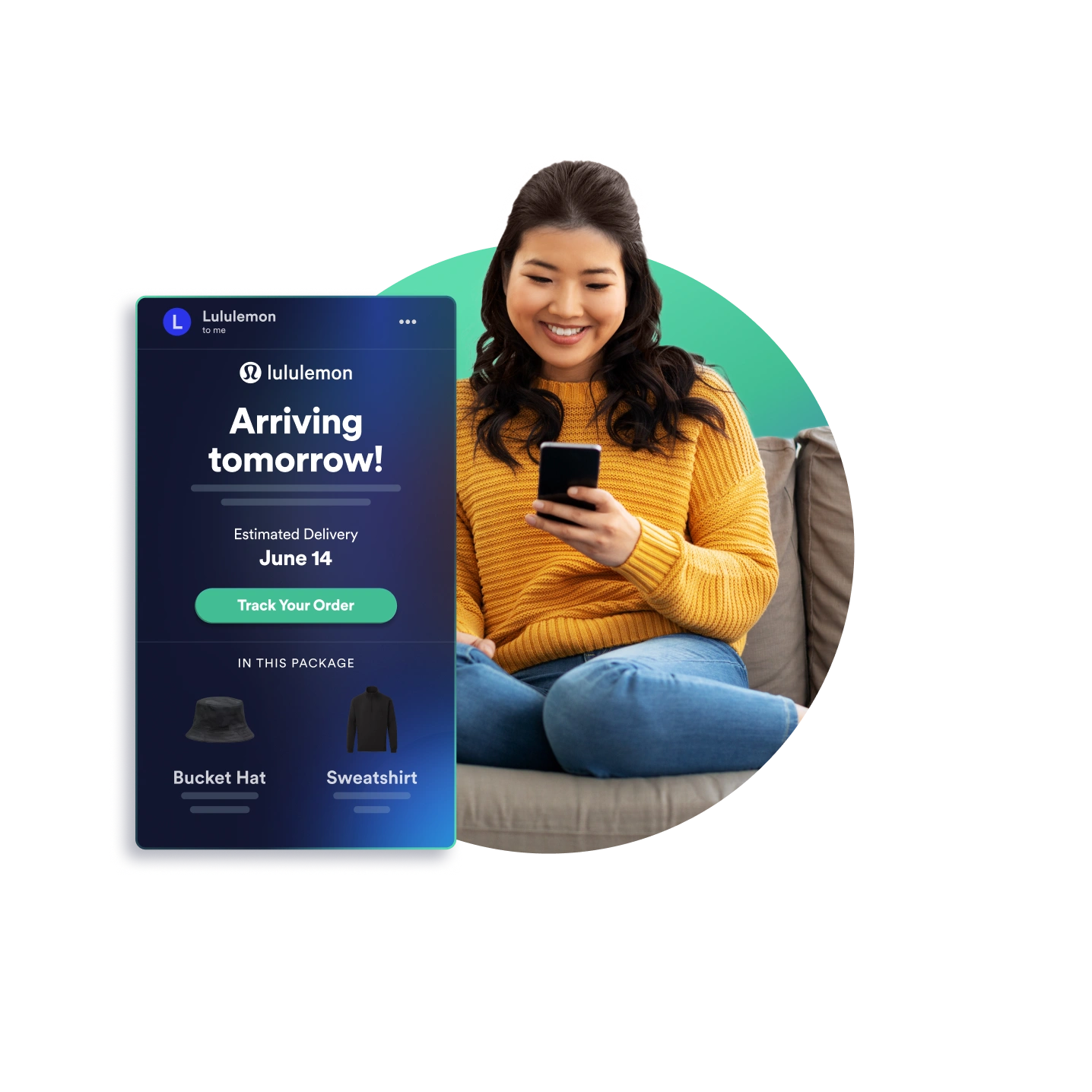
Learn to drive repeat customers by building trust.
Narvar Notify builds rapport through proactive communications every step of the way.

FAQs
What is a pre-shipment notification?
A pre-shipment notification is a message sent between checkout and the first carrier scan, while the order is still being prepared. Common types include order confirmation, fulfillment delay, backorder, "ready to ship" at label creation, and carrier pickup delay.
How often should you update customers before an order ships?
Plan around a shopper who expects to hear from you about every two days. Send a message each time something changes, such as a fulfillment slip or a missed carrier pickup, rather than on a fixed schedule.
When should you send the shipping confirmation email?
Send it at the first carrier scan, not when the label is created. Until the carrier scans the package, the tracking link shows no movement, and that is what sends shoppers to support.
Why do holiday gift orders create so many WISMO tickets?
Gift orders combine a fixed deadline with a buyer who isn't the recipient, so the person paying carries all the uncertainty. When the days before shipment pass with no update, that buyer contacts support to find out whether the gift will arrive in time.
Related posts